Copyright © 2023 Teltech ICT


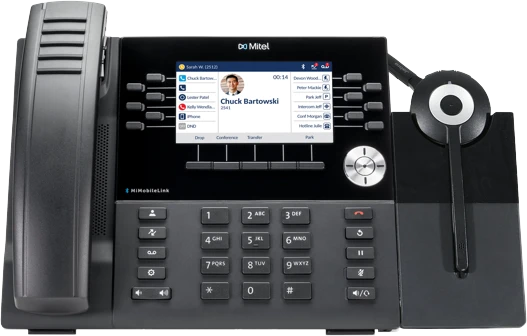
Mitel 6915 IP Phone
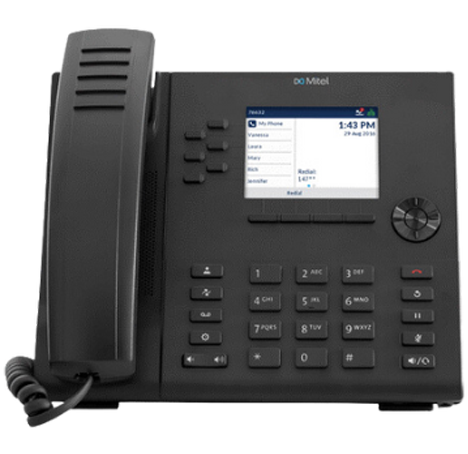
LCD Screen
LCD screen with backlight.
The Brightness Level option on the IP phone allows you to set the amount of light that illuminates the LCD display. Use this option to set the preference of brightness level.
The Brightness Timer option allows you to set the amount of time you want the LCD display to stay illuminated before turning the backlight off during a period of inactivity. For example, if you set the brightness timer to 60, when the phone reaches 60 seconds of inactivity, the LCD backlight goes off.
Directory key

Displays a list of your contacts.
Call History key

Displays All folder list which includes the list of your missed, outgoing, and received calls.
Voicemail Key

Provides access to your voicemail service (if configured).
Options Key

Provides services and static settings that allow you to customise your phone.
Volume controls

Adjusts the volume for the ringer, handset, headset, and speakerphone.
Press the volume control keys while the phone is ringing to adjust the ringer volume. Pressing these keys during an active call adjusts the volume of the audio device being used (handset, headset, or speaker).
Goodbye key

Ends an active call and used for exiting menus.
The Goodbye key also exits an open list (such as Call History) and menus (such as the Static Settings menu) without saving changes.
Redial key

Redials the last manually dialled number displayed on the LCD screen.
Displays Call History with a list of outgoing calls.
Hold key

Places an active call on hold or resumes a call from hold.
To retrieve a held call, press the applicable Line key.
Mute Key

Mutes/unmutes all outgoing audio from headset, handset or speaker.
The LED beside the key turns on when the microphone is on mute.
Speaker/Headset Key

Toggles the phone's audio between speaker and headset.
If you are using a DHSG/EHS headset, ensure that the headset jack adapter is removed from the headset port.
Note: The headset port is for headset use only. Plugging any other devices into this port may cause damage to the phone and will void your warranty.
Navigation Keys and Select Button

Multi-directional navigation keys are used to navigate through the phone menu.
Press the center button to select menu options and perform various actions.
On the Home Screen, the left and right navigation keys can be used to switch between the home-screen, the line manager and active calls.
Bottom Softkeys

4 context-sensitive bottom softkeys that supports up to 9 functions.
Top Softkeys

6 programmable keys that support up to 10 functions.
Dialpad
The Mitel 6915 SIP IP phone has a dialpad with digits from 0 through 9, a * key, and a # key.
Keys 2 through 9 contain the letters of the alphabet. These dialpad keys can be used to dial a phone number to make a call and to press keys requested by an Interactive Voice Response (IVR)system.
Handset
Tips for your comfort and safety
Don’t cradle the handset
Prolonged use of the handset can lead to neck, shoulder, or back discomfort, especially if you cradle the handset between your ear and shoulder. If you use your phone a lot, you may find it more comfortable to use a headset.
Protect your hearing
Your Mitel 6915 SIP IP phone has a control for adjusting the volume of the handset, headset, and speakerphone. Because continuous exposure to loud sounds can contribute to hearing loss, keep the volume at a moderate level.
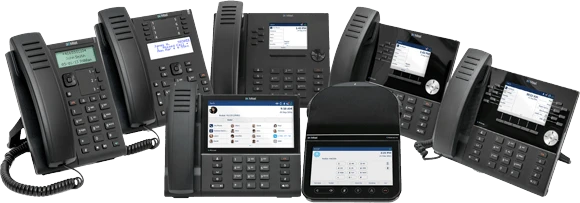
6910 IP PHONE
6915 IP PHONE
6920 IP PHONE
6930 IP PHONE
6940 IP PHONE
6970 IP CONFERENCE PHONE
INTEGRATED DECT HEADSET
6900T HANDSET
6910 IP PHONE
The 6910 offers exceptional quality and standard telephony functions in an enterprise grade IP desktop phone. The Mitel 6910 features Dual Gigabit Ethernet ports and a large 3.4” LCD display with soft white backlighting and large fonts, making the screen easy to read in any lighting condition. With eight programmable keys, native DHSG/EHS analog headset support, and high-definition audio quality, the Mitel 6910 IP Phone is ideal for businesses of all sizes.
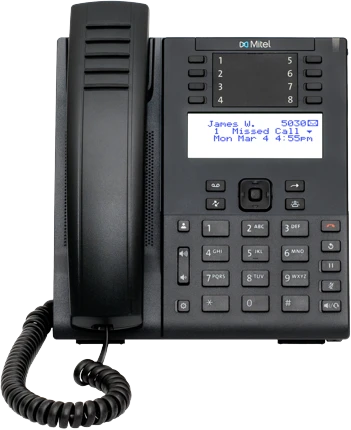

6915 IP PHONE
The 6915 is designed to be instinctively easy to use with its crisp high resolution 3.5” color LCD display. It provides an exceptional HD audio experience via its high-quality full-duplex speakerphone and support for USB, EHS/DHSG & analog headsets. Additionally, the 6915 offers an intuitive user experience via its programmable personal and context-sensitive soft keys that are combined with icon-based navigation menus and intuitive user interfaces.
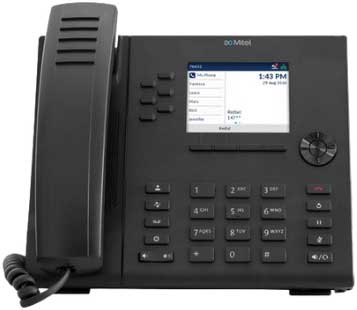
6920 IP PHONE
The 6920 is designed for power users who demand not only a modern design but also a phone that is flexible and delivers a high-quality communications experience. The MiVoice 6920 is designed from the ground up to provide an exceptional HD audio experience via its unique speech optimised handset, high quality full-duplex speakerphone and support for USB, EHS/DHSH & Analog headsets.
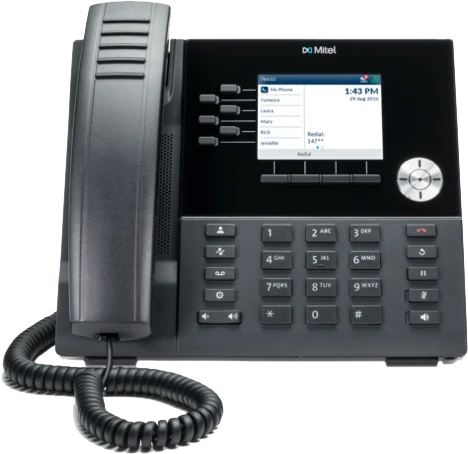
6930 IP PHONE
The 6930 is designed for power users who need a phone that can be tailored to their specific communication needs. The 6930’s first-of-its-kind PCLink feature turns your phone into a high quality audio device for PC based video collaboration. It provide an exceptional HD audio experience via its unique speech optimised handset, enhanced full- duplex speakerphone and support for Bluetooth, USB and Analog headsets. Supporting today’s high speed networks through dual Gigabit Ethernet ports, the 6930 offers a large 4.3” colour backlit LCD display, HD wide-band audio with advanced audio processing.
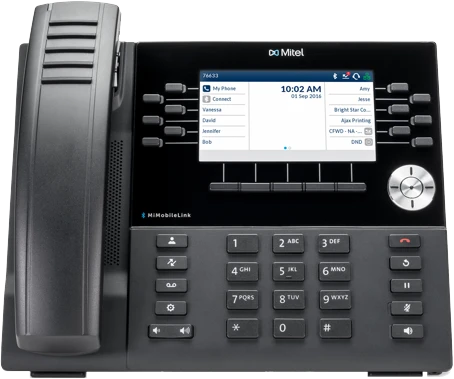
6940 IP PHONE
The MiVoice 6940 is designed for the executive user who demands an exceptional device that meets their demanding communication needs. The 6940’s first-of-its-kind PCLink feature turns your phone into a high-quality audio device for PC based video collaboration. The 6940 is designed from the ground up to provide an exceptional HD audio experience via its unique speech optimised cordless handset, enhance full-duplex speakerphone and support for both Bluetooth and USB headsets. Supporting today’s high-speed networks through dual Gigabit Ethernet ports, the 6940 offers an exceptionally large 7” colour touch display, HD wide-band audio with advanced audio processing.
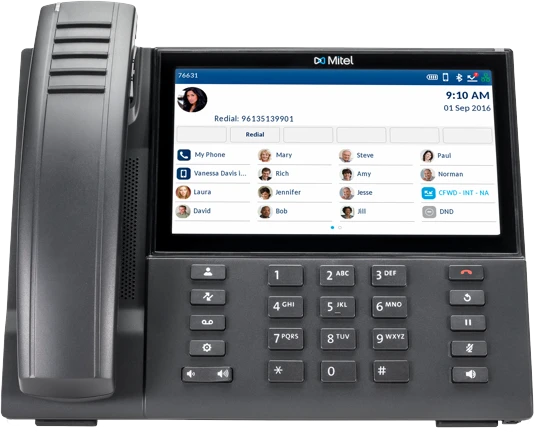
6970 IP CONFERENCE PHONE
The Mitel 6970 IP Conference Phone is designed to make meeting easier and more efficient. A large 7” colour touchscreen grants excellent visibility to an intuitive user interface for quick navigation to essential meeting information and functions. Enjoy crystal clear audio with high-definition speakers and 360-degree beam-forming microphones.
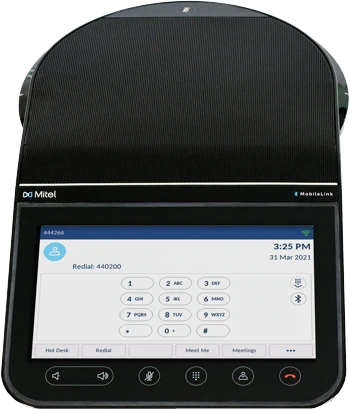
INTEGRATED DECT HEADSET
The Integrated DECT Headset delivers an extended range of up to 300 feet (100 meters) of personal area mobility, helping users avoid missed calls while stepping away from their desk. The base is powered by the phone eliminates having to find an available power outlet, which can be a challenge as often available outlets are all occupied by other desktop equipment. The Integrated DECT Headset is supported on Mitel 6930/40 IP Phone models.
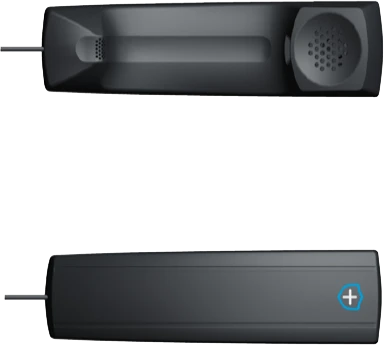
6900T HANDSET
The handset is protected with antimicrobial plastics and is built using BioCote® treated plastics. The handset’s smooth surfaces and hardwired cord make for easy cleaning, facilitating a more hygienic device. The handset is redesigned to make easier to clean by removed ribs, hard wired handset cord to eliminate jack receptacle (major trap for dirt and grime) and redesigned microphone grill to minimise crevices and holes that might collect germs, dirt and grime.
John and his team are the reason that we stay with Telstra for our Business. John is always available to help us, and we trust him completely. Sam just installed a new NEC phone system and he was great. It's not very often you come across someone as good as Sam at teltech. We have had Sam for quite a few jobs with teltech and he is so knowledgeable, patient, and friendly. We know if Sam is helping us, all will be ok. Thanks to all at Teltech.

Thank you to John & the team for their service in keeping our school operations up and running.
Over the years John has always acted promptly, whether it be the phones have gone down due to power outage & or admin accounts query’s.
We recently required a new handset install and John arranged this in a few days.
RPS having been very happy with the service overall.

I just wanted to touch base to tell you how much I appreciated yours and Adam's help trying to redirect our phone lines in case of a school shutdown. Due to the major works happening at our school it was not a straight forward procedure but at no time did either of you let this bother you. You both persisted until we achieved a positive result. Your knowledgable, efficient and timely work on this is very much acknowledged and appreciated.

May I take this opportunity to say a personal thank you to you and your team for the professional and helpful way you went about getting us connected to the wired world. There was little fuss and bother, you guys just went about your tasks despite all the activity and disruption going around and delivered what you promised. Thank you from the small team at Power Parameters.

I am very happy with the service from Teltech ICT. If there ever has been a problem or fault, Teltech ICT are prompt in their response and the techs have always done a great job, I wouldn't consider going anywhere else due to the above.

I just wanted to thank you and your team for the help you have given in organising the contract for our new phone system. It was quite a daunting task to arrange a new phone system for Ringwood Heights Primary but with the assistance of Teltech ICT, we now have a phone system that works like a dream with a number of features that are making our lives much easier. Your additional support has been very much appreciated. I would be very happy to endorse Teltech ICT to any business that is considering a new phone system.

I want to thank you for going the extra mile yesterday afternoon and supporting Marcellin College. Its greatly appreciated